Welcome
The Customer Portal
powered by
A quick walkthrough
A faster, clearer way to manage your concrete orders.
Use the arrow keys or the buttons below to step through this short tour.
Slide 01 of 06
Welcome
powered by
A quick walkthrough
A faster, clearer way to manage your concrete orders.
Use the arrow keys or the buttons below to step through this short tour.
Getting started
Enter your phone, enter the auth code
No need to create an account and no need to remember passwords.
Your account is secured by 2FA authentication for quick and easy access.
Feature guide
Flexible adjustments
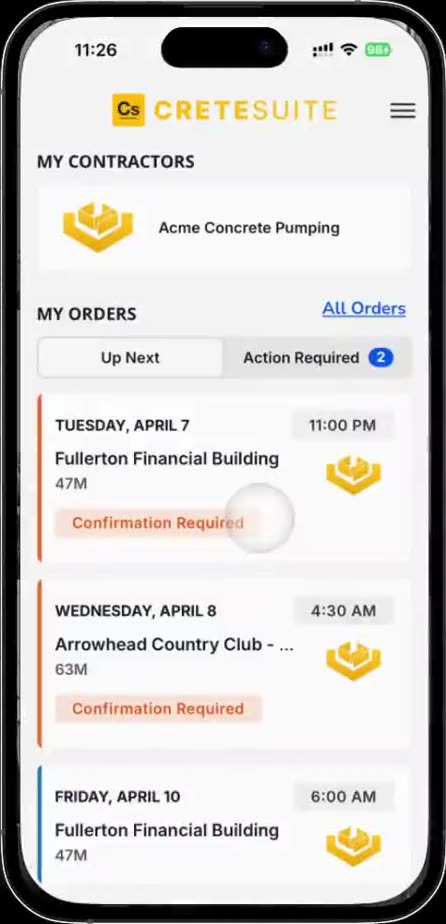
Tap an order to view and double-check all the details. Click Confirm Order and you're all set.
Need to reschedule, change the time, yardage, or simply request extra hoses? Scroll to the bottom of any order and select 'Request Changes'.
Type your requested adjustments in the text field and submit — dispatch is notified instantly. Once the order is updated, you'll see it in real-time.
Feature guide
Live visibility, on every job
See exactly where your trucks are in real time.
Plan the day with confidence — no more phone calls chasing ETAs.
Watch your trucks approach on the map in real-time.
Feature guide
Loop in your team
Share any order with foremen, supers, or partners in a single click.
Everyone sees the same live status & order details — no screenshots required.
Feature guide
Reports, invoices & history at your fingertips
Explore reports and key stats from your past orders.
View, download, and pay invoices in just a few taps.
Browse past orders — once work-tickets have been reviewed for accuracy, you can view and download them whenever you need.